
JavaScript is a powerful language, essential for web development, offering interactive experiences and dynamic content for users worldwide.
Beginners should focus on practical application, building small projects like calculators or simple apps, to truly grasp core concepts and syntax.
Resources like Mark Zamoytas training and WebStorm’s tutorials provide structured learning paths for those starting their JavaScript journey today.
What is JavaScript?
JavaScript is a scripting language primarily known for creating interactive web pages, but its capabilities extend far beyond simple website enhancements.
Initially designed to “make web pages alive,” JavaScript now powers a vast range of applications, from front-end web development – controlling what users see and interact with – to back-end server-side development using Node.js.
Essentially, JavaScript enables developers to build engaging and responsive user interfaces. It’s a versatile language, constantly evolving with new features and frameworks, making it a valuable skill for any aspiring web developer. Learning JavaScript opens doors to creating complex web applications, games, and even mobile apps.
It’s a cornerstone technology of the modern web, and understanding its fundamentals is crucial for anyone looking to build a career in web development.
Why Learn JavaScript?
JavaScript is an incredibly valuable skill in today’s digital landscape, offering numerous career opportunities and creative possibilities. The demand for JavaScript developers consistently remains high, making it a secure and rewarding career path.
Furthermore, JavaScript isn’t limited to web browsers; with Node.js, you can use it for server-side development, creating robust back-end systems. This versatility allows for full-stack development, handling both front-end and back-end tasks.
The extensive online community and readily available resources, like Reddit’s r/learnprogramming, provide ample support for beginners. Don’t just passively learn; build projects – a shopping receipt calculator or a sales generator – to solidify your understanding and truly master the language.
Setting Up Your Development Environment
Beginners should start with a quality text editor or IDE, like WebStorm, and familiarize themselves with the browser console for testing and debugging JavaScript code.
Choosing a Text Editor or IDE
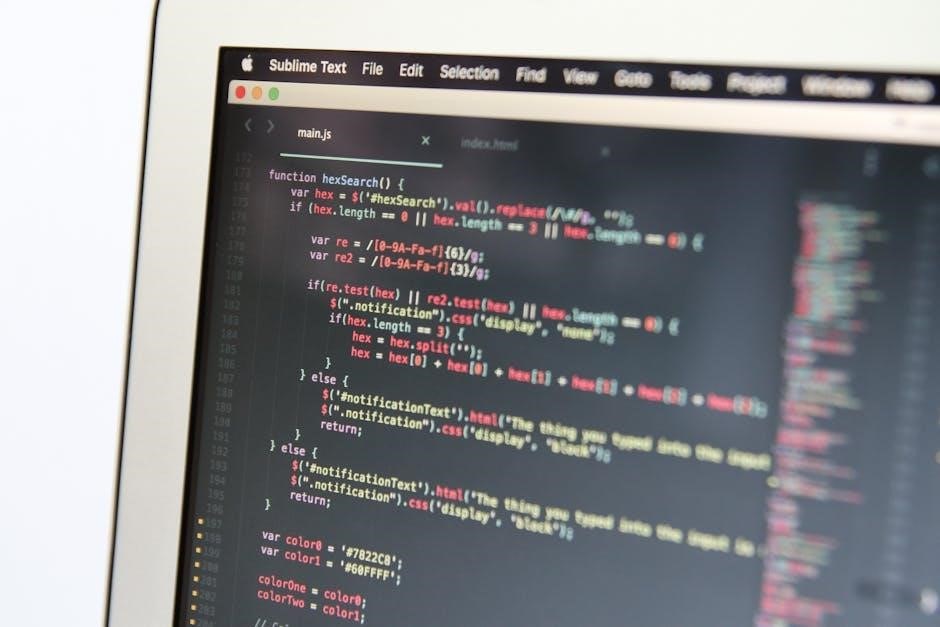
Selecting the right tool is crucial when beginning your JavaScript journey. A text editor or Integrated Development Environment (IDE) significantly impacts your coding experience. For absolute beginners, simplicity and ease of use are paramount. While advanced IDEs offer powerful features, they can be overwhelming initially.
Popular choices include Visual Studio Code (VS Code), Sublime Text, and Atom – all excellent free options. These editors provide syntax highlighting, which makes code more readable, and auto-completion, which speeds up development. WebStorm, mentioned as a resource, is a more robust, paid IDE favored by professionals.
Don’t get bogged down in choosing the “perfect” editor immediately. Start with one that feels comfortable and focus on learning JavaScript itself. You can always switch later as your needs evolve. The key is to have a space where you can write, save, and easily access your code files. Experiment and find what best suits your workflow!
Understanding the Browser Console
The browser console is your best friend when learning JavaScript. Accessible through developer tools (usually by pressing F12), it’s a powerful window into your code’s behavior. Think of it as a debugging hub and a testing ground.
You can use the console to display messages, check variable values, and even execute JavaScript code directly. This is incredibly helpful for understanding how your scripts are running and identifying errors. When something doesn’t work as expected, the console often provides valuable error messages pointing you to the problem.
Learning to read and interpret console output is a fundamental skill. Don’t ignore those red error messages! They are clues. Experiment with console.log to print values and track your code’s execution. Mastering the console will dramatically accelerate your learning process and make debugging much less frustrating.

JavaScript Fundamentals

Core concepts like variables, data types, operators, and control flow are essential building blocks. Practice these fundamentals consistently with small exercises and projects.
Understanding loops and conditionals will empower you to create dynamic and interactive web experiences, forming the basis of your coding journey;
Variables and Data Types
Variables are containers for storing data, and understanding them is fundamental to JavaScript. You declare variables using let, const, or var, though let and const are generally preferred for modern JavaScript development.
Data types define the kind of data a variable can hold. Common data types include:
- Numbers: Represent numeric values (e.g., 10, 3.14).
- Strings: Represent text enclosed in single or double quotes (e.g., “Hello”, ‘JavaScript’).
- Booleans: Represent true or false values.
- Arrays: Ordered collections of data.
- Objects: Collections of key-value pairs.
Choosing the right data type is crucial for efficient and accurate code. For example, a shopping receipt calculator, as suggested by r/learnprogramming, would heavily rely on number variables to store prices and quantities. Experimenting with these types through practical exercises, like building that calculator, solidifies understanding far better than simply memorizing definitions. Remember to practice using these concepts to make them stick!
Operators in JavaScript
Operators are symbols that perform specific operations on values (operands). JavaScript provides a wide range of operators, categorized as:
- Arithmetic Operators: Perform mathematical calculations (+, -, , /, %).
- Assignment Operators: Assign values to variables (=, +=, -=, =, /=).
- Comparison Operators: Compare values (==, ===, !=, !==, >, <, >=, <=).
- Logical Operators: Combine or modify boolean expressions (&&, ||, !).
Understanding operator precedence is vital; some operators are evaluated before others. For instance, multiplication typically happens before addition. Building a small sales generator CLI app, as suggested on Reddit, would require extensive use of arithmetic and assignment operators to calculate totals and apply discounts.
Practice using these operators in various scenarios. Don’t just memorize the symbols; understand how they manipulate data; Hands-on experience, like creating those 56 small practice exercises, is the key to mastering operators in JavaScript.
Control Flow: Conditionals (if/else)
Conditional statements allow your code to make decisions based on whether certain conditions are true or false. The core structure is the if/else statement. If a condition evaluates to true, the code block within the if statement executes. Otherwise, the code block within the else statement (if present) executes.
You can also chain multiple conditions using else if statements. This allows you to test several conditions sequentially. For example, a shopping receipt calculator, as suggested on Reddit, would heavily rely on if/else statements to apply different discounts based on the purchase amount.
Mastering conditionals is crucial for creating dynamic and responsive applications. Don’t simply memorize the syntax; practice building scenarios where your code needs to react differently based on varying inputs. This practical application solidifies understanding far better than rote learning.
Loops: For and While
Loops are fundamental for automating repetitive tasks in JavaScript. Two primary loop types are for and while loops. A for loop is ideal when you know in advance how many times you need to repeat a block of code. It consists of an initialization, a condition, and an increment/decrement step.
A while loop, conversely, continues executing as long as a specified condition remains true. It’s perfect when the number of iterations isn’t known beforehand. Building a simple sales generator CLI app, as suggested on Reddit, would benefit greatly from loops to process multiple sales entries.
Remember to include a mechanism to eventually make the loop condition false, preventing infinite loops. Practice using both loop types with various scenarios to understand their strengths and weaknesses. Combining loops with conditionals unlocks powerful programming capabilities.
Functions and Reusability
Functions are reusable blocks of code, vital for organization and efficiency in JavaScript development. They promote code clarity and reduce redundancy.
Learning loops and functions together, then building micro-projects, solidifies understanding and practical application of these core concepts.
Parameters allow functions to accept input, while return values provide output, enhancing their versatility.
Defining and Calling Functions
Defining functions in JavaScript involves using the function keyword, followed by a name, parentheses , and curly braces {}. Within these braces, you write the code that the function will execute. For example: function greet(name) { console.log("Hello, " + name + "!"); }. This defines a function named ‘greet’ that takes a ‘name’ as input.
Calling or invoking a function is done by using its name followed by parentheses, and providing any necessary arguments. Continuing the example: greet("Alice"); would output “Hello, Alice!” to the console. Remember, the order of arguments matters if the function expects them in a specific sequence.
The key to mastering functions is practice. Don’t just passively read about them; actively create functions to solve small problems. As suggested by r/learnprogramming, build a tiny sales generator CLI app to solidify your understanding. This hands-on approach is far more effective than simply memorizing syntax. Functions are the building blocks of more complex programs, so a strong foundation here is crucial.
Experiment with different function names, arguments, and return values to see how they affect the function’s behavior. This iterative process will accelerate your learning and build confidence.
Function Parameters and Return Values
Function parameters are variables listed inside the parentheses in a function definition. They act as placeholders for values that will be passed into the function when it’s called. For instance, in function add(x, y) { ... }, ‘x’ and ‘y’ are parameters. These allow functions to be reusable with different inputs.
Return values allow a function to send a result back to the code that called it. The return statement specifies the value to be returned. For example: return x + y; would return the sum of ‘x’ and ‘y’. If a function doesn’t have a return statement, it implicitly returns undefined.
Building on the advice from r/learnprogramming, practice creating functions that take parameters, perform calculations, and return meaningful results. A shopping receipt calculator is an excellent exercise. Focus on creating functions that encapsulate specific tasks and return the appropriate output. This reinforces the concept of modularity and reusability.
Understanding parameters and return values is fundamental to writing effective and maintainable JavaScript code. Experiment with different data types and combinations to solidify your grasp.

Working with the DOM
Beginners can modify webpage structure and style, enhancing user experiences with interactive features and responsive designs using DOM manipulation.
For example, you can use JavaScript to add new elements, remove existing ones, change text content, or modify attributes like the src of an image. Understanding the DOM is fundamental because it’s the bridge between your JavaScript code and the visual representation of your webpage. It empowers you to create interactive and dynamic web experiences.
Without the DOM, JavaScript would be limited to simple alerts and prompts; it’s the DOM that unlocks the true potential of JavaScript for web development.
Common methods include document.getElementById to select an element by its ID, document.querySelector for more complex selectors (like CSS classes), and document.getElementsByClassName to select elements by their class name.
For instance, you could change the text of a paragraph, hide an image, or update the link destination of an anchor tag. These manipulations happen dynamically in the browser, creating interactive web pages. Mastering these techniques is key to building responsive and engaging user interfaces.
Resources for Continued Learning
Expand your knowledge with recommended books like those by Zamoytas, explore online courses, and actively participate in communities like Reddit’s r/learnprogramming.
Consistent practice and engagement with fellow learners will accelerate your JavaScript proficiency and unlock further potential.
Recommended Books and Courses
For a solid foundation, consider Mark Zamoytas series: Rapid JavaScript Training, Rapid ES6 Training, and Object-oriented Programming in JavaScript ⎼ ES6. These resources are frequently recommended within the learning community for their clear explanations and practical approach.
Jim Cooper’s JavaScript’s Objects and Prototypes offers a deeper dive into the core mechanisms of JavaScript, which is crucial for understanding how the language truly works. This book is particularly helpful as you progress beyond the basics.
Online, numerous courses cater to beginners. Platforms like Udemy, Coursera, and freeCodeCamp provide structured learning paths. Look for courses that emphasize hands-on projects and real-world applications. A quick crash course can be a great starting point, but remember that consistent practice is key to mastering JavaScript. Don’t just passively watch tutorials; actively code along and experiment!
Remember to supplement your learning with documentation and explore different learning styles to find what resonates best with you.
Online Communities and Forums
Engaging with online communities is invaluable when learning JavaScript. Reddit’s r/learnprogramming is a vibrant hub where beginners can ask questions, share projects, and receive feedback. It’s a fantastic place to find motivation and connect with fellow learners.
Stack Overflow is an essential resource for troubleshooting errors and finding solutions to common problems. Learning to effectively search and utilize Stack Overflow will significantly accelerate your progress. Don’t be afraid to ask questions, but first, try to find existing answers.
Discord servers dedicated to web development and JavaScript offer real-time support and collaboration opportunities. Many communities host workshops and coding challenges.
Active participation in these forums isn’t just about getting help; it’s also about solidifying your understanding by explaining concepts to others. Remember, teaching is one of the best ways to learn!
These platforms provide a supportive environment to overcome challenges and stay motivated on your JavaScript journey.